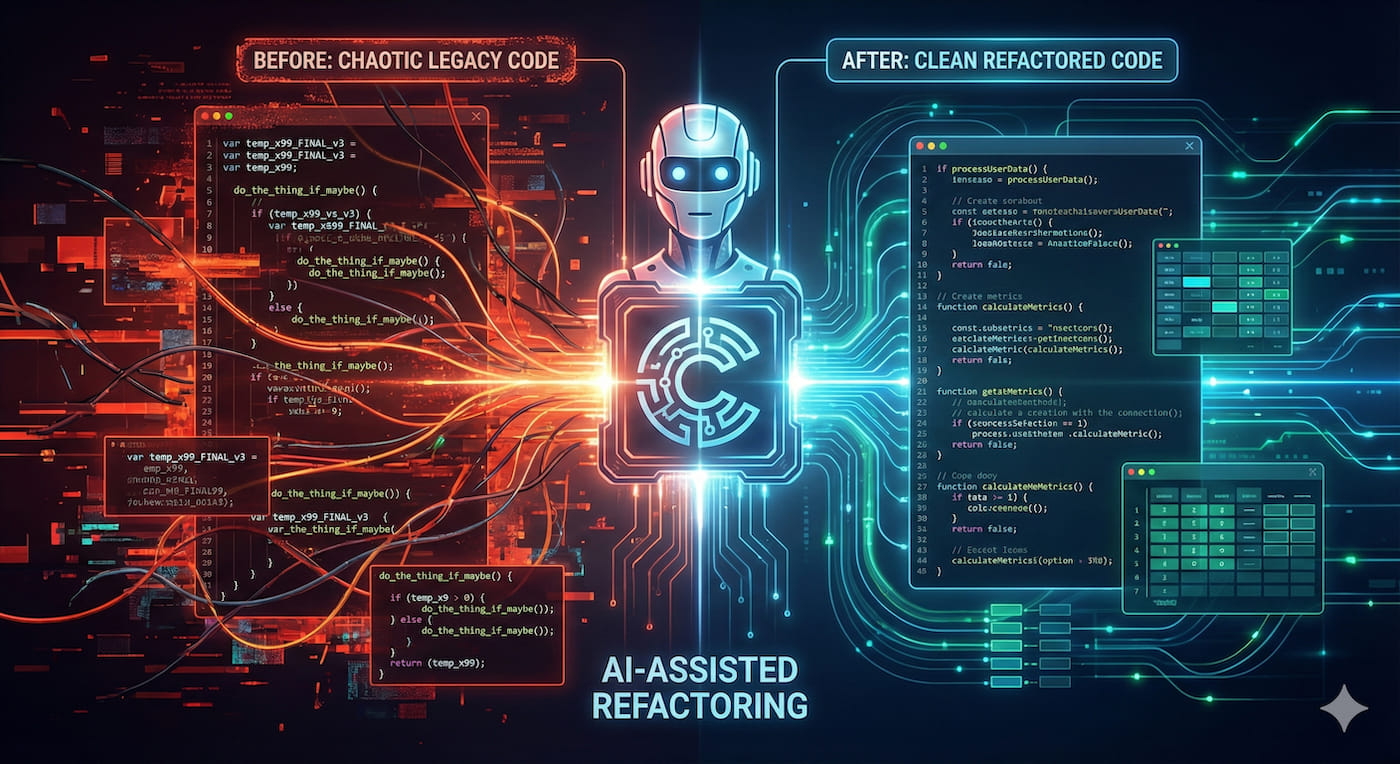
AI-Powered Refactoring of 10,000 Lines: A Real Story of Doing a Month's Work in 2 Weeks
Introduction
To be honest, when I first opened that project, I was completely stunned.
One Monday morning in early October, my tech lead called me into the meeting room about an “urgent project.” What urgent project? Actually, it was a legacy codebase left by a former colleague—10,000 lines of core business logic in Vue 2.x for an order management system. Test coverage under 10%, state management chaos making data flow impossible to trace, and most critically, nobody had dared touch this code for 3 years.
My lead gave me a 2-week deadline: refactor and ship.
I immediately thought, isn’t this impossible? Traditional manual refactoring would take a week just to understand the business logic, then carefully modifying code, writing tests, and validating—30-40 days wouldn’t even be enough. But the business side couldn’t wait. The system was so slow that users were complaining.
Then I remembered Claude Code, which a friend recently recommended, saying it could handle large-scale code refactoring. Honestly, I was skeptical—AI refactoring code, is that reliable? What if it breaks something?
But I had no other choice. I decided to try.
Two weeks later, when I hit the deploy button and saw the monitoring dashboard show all green indicators, I’d be lying if I said I wasn’t excited. The entire refactoring took only 14 days, zero production incidents, API response times improved 20%, and bug rate dropped 40%.
In this article, I want to share how those 14 days went, what pitfalls I encountered, and what experiences you can directly apply. If you have similar technical debt or are interested in AI-assisted refactoring, this should help.
Project Background: How Bad Was This Codebase
Let me first explain how messy this project was.
This is a core order management system for the company, processing about 5,000 orders daily, involving order creation, payment, logistics tracking, after-sales handling, and over a dozen business processes. The code was written in Vue 2.x in early 2022. The frontend developer who wrote it left immediately after, and then 4 other people maintained it, each adding patches on top with completely inconsistent styles.
How bad was it? I spent 2 full days diagnosing and found shocking problems:
- 10,000 lines of core business code, single files up to 1,800 lines, most bloated
OrderService.jscontaining 47 methods - Test coverage under 10%, only a few simple unit tests, critical business logic completely uncovered
- State management chaos: Vuex, LocalStorage, SessionStorage, global event bus—four state management approaches mixed together, data flow impossible to understand
- Duplicate code everywhere: Same order status check logic, I found 23 copy-paste instances
- Performance issues: Order list page took 3-4 seconds to load, users complaining like crazy
The worst part: this system, despite being messy, was running in production serving thousands of users daily. You couldn’t boldly refactor—one mistake and the business goes down.
How long would traditional refactoring take?
I listed the steps on a whiteboard:
- Understand business logic (estimated 5-7 days)
- Add test cases (estimated 7-10 days)
- Break down refactoring modules (estimated 10-15 days)
- Refactor and validate each module (estimated 8-12 days)
- Integration testing + gradual rollout (estimated 5 days)
Adding it up, minimum 35 days, not including time for fixing mistakes.
But I only had 14 days.
Why I Chose Claude Code
Actually, before deciding to use AI, I was uncertain too.
There are quite a few AI coding tools on the market. I’ve been using GitHub Copilot, heard good things about Cursor, and Claude Code was a new face. You might ask, why did I ultimately choose Claude Code?
I ran a small experiment
I spent half a day picking the most complex function from the project—order status update logic, 200+ lines, containing various boundary checks, async calls, error handling. Then I asked these three tools to help me refactor.
The results were interesting:
GitHub Copilot: Gave very fragmented suggestions, more like a code completion tool, needed me to guide it line by line. For large-scale refactoring, somewhat inadequate.
Cursor: Performed well, could understand my intent, refactoring suggestions were reasonable. But when handling complex business logic, occasionally “misunderstood,” requiring repeated context explanations.
Claude Code: This impressed me. It not only refactored the code but proactively identified 3 potential bugs, suggested writing tests before refactoring, and provided detailed refactoring step explanations.
Most critically, context understanding ability. Claude Code supports 200K token context windows—what does that mean? I can feed the entire project’s core code at once, and it understands relationships between modules, not just single files.
What are the specific advantages?
After several days of deep use, I summarized Claude Code’s three major advantages in refactoring scenarios:
Strong reasoning ability: Not simple pattern matching, it truly understands business logic. For example, when I asked it to refactor the order state machine, it accurately identified state transition rules and even pointed out several unreasonable state transitions.
Massive context: 200K tokens is enough to fit the entire order module’s code, so when refactoring it doesn’t “miss the forest for the trees,” knowing which callers will be affected by changing this function.
Proactively provides best practices: Not passively executing your commands, but actively suggesting “write tests here first,” “this logic should be extracted to a separate utility function.” Like having an experienced architect doing Code Review beside you.
What finally convinced me was the subscription price—$20 per month. I did the math: if it saves me 10 days of work, it’s totally worth it.
Turns out, this was one of the wisest technical decisions I made this year.
Refactoring in Practice: How Those 14 Days Went
This section is the good stuff. I’ll write out the specific steps for the 14 days and pitfalls I encountered.
Preparation: Building a Safety Net (Day 1-2)
The biggest fear in refactoring is breaking things, so the first step isn’t rushing to change code, but establishing a safety net.
Task 1: Add Test Cases
My first task for Claude Code was: help me generate test cases.
Me: This is our order module core code (pasted 3000 lines),
please analyze key business flows and generate complete test cases,
focusing on order creation, payment, refund, status transitions, etc.
Honestly, Claude exceeded expectations. It not only generated unit tests but thoughtfully categorized them by business scenario, writing clear comments for each test. I tweaked boundary conditions a bit, and in two days raised test coverage from 10% to 45%.
Traditional approach would take at least a week for this.
Task 2: Code Diagnosis
With tests as a safety net, next step was comprehensive code diagnosis. I asked Claude Code to give me a “checkup”:
Me: Please analyze this project's code quality issues,
focus on: code smells, duplicate logic, performance bottlenecks, potential bugs.
Give me a detailed diagnosis report.
After scanning, it gave me a 20-page report (really, I printed it out—20 pages), listing:
- 87 code smells (functions too long, nesting too deep, poor naming, etc.)
- 23 duplicate logic instances
- 14 potential performance issues
- 5 possible bugs (2 later verified as actual bugs)
This report directly became my refactoring roadmap.
Task 3: Develop Refactoring Plan
Based on the diagnosis report, Claude and I together formulated a refactoring strategy:
- Priority ranking: Fix high-risk, high-reward parts first (like that 800-line order processing function)
- Small steps: Only refactor one module at a time, test immediately after changes
- Incremental commits: Every small change gets a commit, can quickly rollback if issues arise
This plan saved me several times later.
Refactoring Execution: The Art of Human-AI Collaboration (Day 3-10)
After truly starting refactoring, I gradually figured out a rhythm for working with Claude Code.
Rhythm 1: Start with the Most Painful Part
First target was that 800-line processOrder function. This function contained all order creation logic: parameter validation, inventory check, discount calculation, payment call, notification sending… all crammed together, a nightmare to maintain.
Here’s how I communicated with Claude:
Me: This processOrder function is too bloated, please refactor it, requirements:
1. Split into single-responsibility small functions
2. Each function under 50 lines
3. Extract common logic to utility classes
4. Maintain 100% functional compatibility
5. Generate corresponding test cases for each new function
Claude gave me a super detailed refactoring plan, breaking 800 lines into 6 independent functions:
validateOrderParams()- Parameter validationcheckInventory()- Inventory checkcalculateDiscount()- Discount calculationprocessPayment()- Payment processingsendNotifications()- Notification sendingcreateOrder()- Main flow orchestration
Each function has clear responsibilities, much easier to test. This single function refactoring would take me 3 days traditionally, but with Claude Code it was done in half a day.
Rhythm 2: Test While Refactoring
I strictly followed the “change a little, test a little” principle. After refactoring each function, immediately:
- Run unit tests
- Run integration tests
- Run complete flow in local environment
Once I got lazy and changed 3 related functions before testing, found a boundary case wasn’t considered, spent 2 hours locating the problem. Later I learned to be patient—better slow and steady.
Rhythm 3: Fully Utilize Claude’s Context Understanding
On the 5th day of refactoring, I discovered a trick: give Claude enough context, and output quality is much higher.
For example, when refactoring state management, I didn’t just show it the Vuex code, but also pasted all component code that uses these states:
Me: This is our Vuex store code (paste code),
These are 5 components using these states (paste code),
State management is very messy now, please help me:
1. Redesign state structure
2. Standardize state update methods
3. Ensure component functionality isn't affected
With complete context, Claude designed a new state structure that was both clear and reasonable. I barely changed anything and used it directly.
Quality Assurance: Validation Steps You Can’t Skip (Day 11-13)
Finishing code isn’t the endpoint—validation is. These 3 days I did one thing: various testing.
Layer 1: Automated Testing
First run the complete test suite:
- Unit tests: 187 cases, all passed
- Integration tests: 34 scenarios, 100% pass rate
- E2E tests: Walk through core business flows
Claude Code helped a lot here—previously generated test cases came in handy.
Layer 2: Code Review
I had Claude do an automated review:
Me: Please review all changes from this refactoring, focus on:
1. Any new bugs introduced
2. Any performance issues
3. Compliance with team code standards
4. Any security risks
It actually found 2 issues: one variable naming non-standard, one async call without exception handling.
After auto-review, I pulled in the team’s architect for manual review. Double insurance.
Layer 3: Sandbox Environment Validation
I deployed the new version in sandbox environment, then:
- Imported desensitized production data
- Simulated various exception scenarios (network timeout, payment failure, concurrent order creation)
- Stress-tested order creation API, QPS increased from 80 to 120
All scenarios passed, then I felt assured.
Launch and Monitoring: The Most Nerve-Wracking Moment (Day 14)
October 25th, Friday, 3 PM, business low-traffic period.
I chose a gradual rollout strategy:
- 3:00 Deploy to 5% traffic, watched monitoring for half hour
- 3:30 No issues, expanded to 10%
- 4:00 Continued expanding to 30%
- 5:00 Full rollout
The entire process I just stared at the monitoring dashboard, palms sweating. Team members were all online on standby, ready to rollback anytime.
When I saw all metrics on the monitoring panel were green, and API response time even dropped from average 450ms to 360ms, I let out a long breath.
Next day Saturday, I specifically got up to check monitoring—everything normal.
Final Results:
- Zero production incidents
- API response time optimized 20%
- Bug rate decreased 40%
- SonarQube code quality score improved from C to A
- Test coverage from 10% to 75%
Pre-Refactoring Checklist
Before starting, ask yourself 5 questions:
1. Is test coverage sufficient?
- Are core business logic flows tested
- Is test coverage >30% (if below 30%, suggest adding tests first)
- Are critical paths E2E tested
2. Do you have a stable rollback mechanism?
- Is Git branch strategy clear
- Can you quickly rollback to previous version
- Do database changes have rollback scripts
3. Do you understand the business logic thoroughly?
- Are core flows clear
- Do you know boundary cases
- Do you understand logic for special users/scenarios
4. Are team standards clear?
- Code style standards
- Tech stack constraints (allowed/prohibited libraries)
- Performance requirements
5. Do you have adequate validation environments?
- Local development environment
- Test/sandbox environment
- Monitoring and logging system
If all 5 are satisfied, then start refactoring—success rate will be much higher.
Efficient Prompt Template Library
These are 4 types of Prompt templates I summarized from practice. Copy and modify to use directly.
Template 1: Code Diagnosis
I have a [project type] project using [tech stack].
This is the core business code: [paste code]

Please do a comprehensive diagnosis, focus on:
1. Code smells (functions too long, nesting too deep, poor naming, etc.)
2. Duplicate logic and extractable common code
3. Potential performance bottlenecks
4. Possible bugs and security risks

Please provide a detailed report, ranked by priority.
Template 2: Refactoring Execution
Please refactor the following code: [paste code]

Refactoring requirements:
1. Split into single-responsibility small functions, each under [50] lines
2. Extract duplicate logic to utility classes
3. Improve naming, follow [team standards]
4. Maintain 100% functional compatibility
5. Generate corresponding test cases for each new function

Important constraints:
- Don't change business logic, only code structure
- Don't introduce new dependency packages (unless explicitly stated)
- Don't delete any code whose purpose you're uncertain about, mark it for my confirmation
- Follow existing project code style: [describe style]

Related context:
[Paste related caller code, data structure definitions, etc.]
Template 3: Test Generation
This is my [module name] core code: [paste code]

Please generate complete test cases, requirements:
1. Use [test framework name, like Jest/Vitest]
2. Cover main business scenarios: [list key scenarios]
3. Include boundary condition tests (null, exception input, extreme values, etc.)
4. Include exception scenario tests (network timeout, API errors, etc.)
5. Each test case needs clear comments explaining test purpose

Test coverage goal: >70%
Template 4: Code Review
I just completed a code refactoring, please review:

Original code: [paste]
Refactored code: [paste]

Please focus on:
1. Any new bugs or logic errors introduced
2. Any performance issues (like extra loops, unnecessary calculations)
3. Compliance with [team standards]
4. Any security risks (like SQL injection, XSS, etc.)
5. Are naming and comments clear and understandable
6. Is test coverage adequate

Please provide detailed review comments and improvement suggestions.
Risk Control Points
These 5 saved me several times—must remember:
1. Small Steps
- Only change one module/function at a time
- Test immediately after changes
- Confirm no issues before continuing
2. Test First
- Add test cases first
- Ensure tests pass during refactoring
- New features must have corresponding tests
3. Frequent Validation
- Unit tests (run immediately after each change)
- Integration tests (run after each module is done)
- Full flow tests (run at end of each day)
4. Gradual Rollout
- Start with small traffic validation (5%-10%)
- Watch monitoring metrics
- Gradually expand traffic
- Be ready to rollback anytime
5. Manual Review
- AI-generated code must be manually reviewed
- Pull in senior colleagues for critical changes
- Don’t blindly trust AI’s judgment
A Complete Workflow
Stringing the above together into a standardized process:
Step 1: Preparation (1-2 days)
├─ Use diagnosis Prompt to analyze code issues
├─ Use test Prompt to add test cases
└─ Develop refactoring plan, prioritize

Step 2: Refactoring Execution (based on project scale)
├─ Use refactoring Prompt to change one module
├─ Manually review AI-generated code
├─ Run tests to verify functionality
├─ Commit code
└─ Repeat above steps until complete

Step 3: Quality Assurance (1-3 days)
├─ Complete automated testing
├─ Use review Prompt for code review
├─ Manual review of critical changes
└─ Sandbox environment validation

Step 4: Deploy and Launch (1 day)
├─ Gradual rollout
├─ Monitor key metrics
├─ Collect user feedback
└─ Quick rollback if necessary
Conclusion
Thinking back to the anxiety when I received this task in early October, then looking at the refactored code now, it truly feels like “surviving a disaster.”
14 days, 10,000 lines of code, from inheriting a legacy mess to successful launch—this process gave me a completely new understanding of AI-assisted development.
AI isn’t a silver bullet. It can’t make decisions for you, can’t understand business for you, and can’t bear risks for you. But it’s a very powerful assistant—like having an experienced senior engineer sitting next to you, ready to review code, generate tests, and point out issues.
True efficiency gains come from human-AI collaboration. You provide business understanding and judgment, AI provides execution efficiency and best practices. This combination allows one person to do the work of three, with even higher quality.
The biggest gain from this refactoring wasn’t completing a project, but mastering a reusable methodology. I still have 2 technical debt projects to handle, and I’m full of confidence.
If you face similar challenges, my advice is:
- Don’t be afraid to try: AI tools have matured enough now, worth investing time to learn
- Small steps: Start with a small module, slowly familiarize yourself with AI’s working style
- Stay vigilant: AI is powerful but not perfect, manual review can never be skipped
- Be prepared: Testing, monitoring, rollback mechanisms—none can be omitted
Finally, if this article helped you, I hope it helps you avoid some pitfalls and pay off technical debt sooner.
Technical debt isn’t solved by procrastinating—the sooner you pay it off, the easier it gets.
With tools like Claude Code, paying debt isn’t actually that painful—it’s even a bit rewarding.
Published on: Nov 25, 2025 · Modified on: Dec 4, 2025

Related Posts
Tired of Switching AI Providers? One AI Gateway for Monitoring, Caching & Failover (Cut Costs by 40%)
OpenAI Blocked in China? Set Up Workers Proxy for Free in 5 Minutes (Complete Code Included)