AI Tools Incompatible? MCP Protocol Enables Seamless Integration (With Hands-On Tutorial)
That Integration Issue That Drove Me Crazy for Two Days
I’ll be honest—it’s a bit embarrassing. Last year I wanted to connect Claude to our company’s GitHub repository, thinking how much efficiency would improve if AI could help me with code reviews. Result? I spent two whole days on it, wrote hundreds of lines of adapter code, debugged until 3 AM, and still ended up with a bunch of inexplicable bugs. Even more frustrating—just when I got GitHub working, my boss asked me to connect Slack for message handling, meaning I’d have to start all over again.
I really wanted to curse at the time—why does every AI tool need its own connection method? Why isn’t there a unified standard?
Then in November 2024, Anthropic launched MCP (Model Context Protocol). At first I didn’t take it seriously, thinking “another new protocol, more stuff to learn, so annoying.” But when I saw OpenAI officially adopt this standard in March 2025, I knew this was serious. Two AI giants simultaneously betting on one protocol—that’s not common in the industry.
In this article, I want to share what I’ve learned from researching MCP over the past few months. Not that kind of bland introduction that just parrots official documentation, but really helping you understand what MCP is, and more importantly—how to use it to solve real problems. Trust me, it’s simpler than you think.
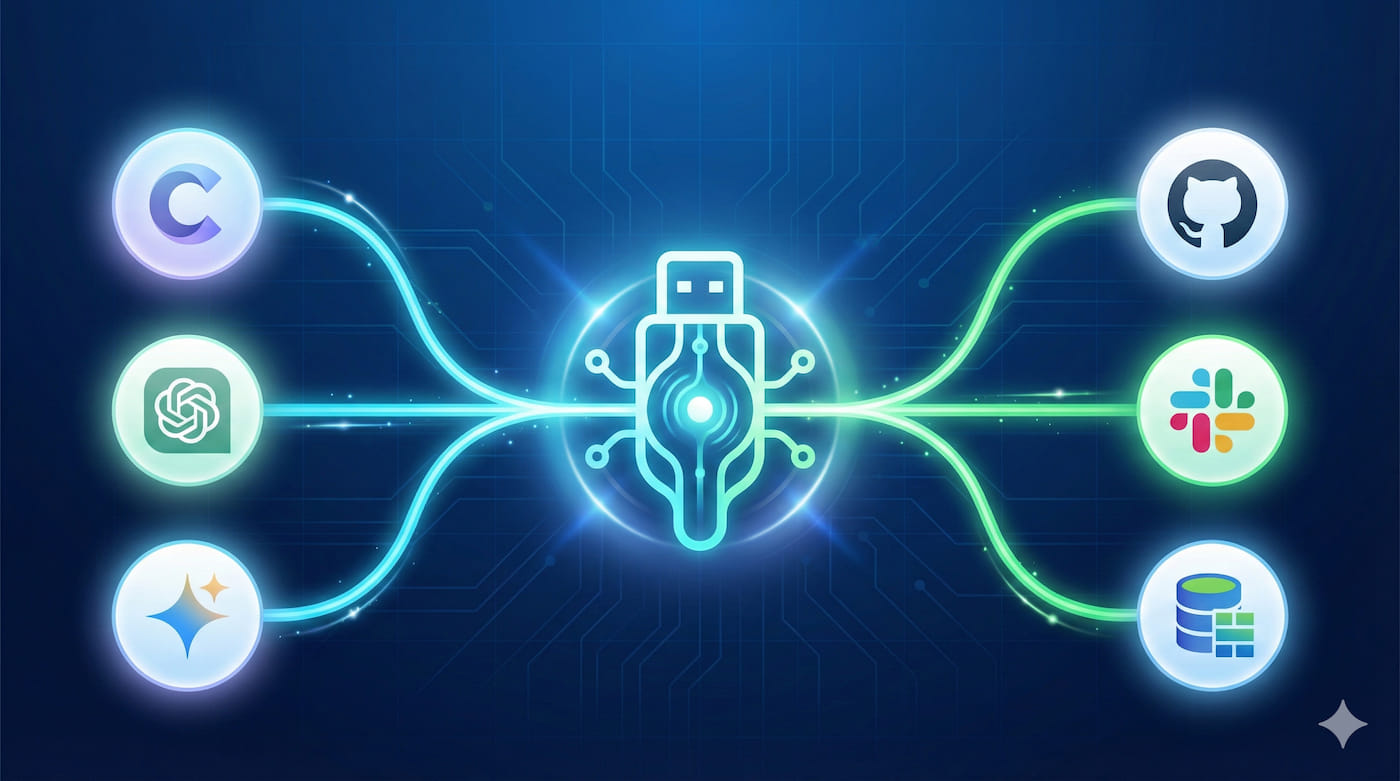
What Exactly Is MCP? A USB Interface Story
Let Me Start with an Analogy You’ll Get
I really like explaining MCP using USB interfaces. Remember computers around 2000? Connecting a mouse required a PS/2 port, keyboards used another port, printers needed parallel ports, scanners needed SCSI—every computer back had a dense cluster of various slots. Switching devices meant finding the right port, and sometimes when ports ran out you’d have to buy expansion cards.
Then USB came along. One interface, any device could plug in. Mouse, keyboard, USB drive, printer, phone—everything worked with one USB port. That simplicity was a qualitative leap.
This is what MCP wants to do—become the “USB interface” of the AI tool world.
Specifically, MCP is an open AI tool interoperability standard protocol. In more down-to-earth terms: it standardizes and simplifies connections between AI tools and various data sources. You no longer need to write a separate adapter for each data source—as long as the data source provides an MCP Server, any MCP-supporting AI tool can connect directly.
Look at These Numbers
I specifically looked up some data—pretty shocking:
- November 2024: Anthropic launches MCP
- March 2025: OpenAI officially adopts it, directly integrating into ChatGPT and Agents SDK
- As of February 2025: Hugging Face community already has over 1,000 MCP servers
- The awesome-mcp-servers project on GitHub got over 30,000 stars, cataloging over 3,000 servers
This growth rate in just half a year—what does it mean? It means the developer community really, really needs such a standard.
What Real Problems Does It Actually Solve?
Let me be more blunt—the problems MCP solves are genuinely practical:
Problem 1: Too Much Repetitive Work
Before, every AI tool had to separately integrate with data sources. If you wanted to connect GitHub, write one set of code; for Slack, another set; for databases, yet another. I was maintaining 7 different connectors at one point—every update meant changing 7 places. Just thinking about it gave me a headache.
Problem 2: AI Is Smart But Can’t Reach the Data
AI tools were isolated in their own little worlds, unable to access the data you actually needed. Want AI to read your project docs? Want it to query databases? Want it to analyze your order data? Sorry, every time you need extra glue code.
Problem 3: Fragmented Ecosystem Wastes Time
Connectors you wrote for Claude don’t work with GPT; ones for GPT can’t be used with other AI tools. Everyone’s reinventing the wheel—same functionality but writing code N times.
MCP’s emergence is meant to eliminate all these problems at once.
MCP’s Core Architecture: Surprisingly Simple
Three-Layer Structure, That Simple
When I first saw MCP’s architecture diagram, my biggest feeling was—simple. The entire system is just three layers, crystal clear:
┌──────────────────────────────────────┐
│    MCP Host (Host Application)       │
│    - e.g., Claude Desktop, ChatGPT   │
│    - Manages connections and UI       │
└──────────────┬───────────────────────┘
               │
               ↓ JSON-RPC 2.0 Communication
┌──────────────────────────────────────┐
│    MCP Client (Client)                │
│    - Handles server communication     │
│    - Initiates requests, processes    │
│      responses                        │
└──────────────┬───────────────────────┘
               │
               ↓ JSON-RPC 2.0 Communication
┌──────────────────────────────────────┐
│    MCP Server (Server)                │
│    - Resources                        │
│    - Tools                            │
│    - Prompts                          │
└──────────────────────────────────────┘
This design is really smart. Host manages overall, Client handles communication, Server provides specific capabilities. Clear responsibilities, low coupling.
Server Provides Three Core Capabilities
MCP Server mainly provides three things to AI tools:
1. Resources
These are data sources. File contents, database records, API-returned data, etc. AI tools can use them to read various structured data.
For example, a GitHub MCP Server can expose repository information, PR lists, Issue details as Resources. When AI calls, the data comes.
2. Tools
These are actual operational capabilities. AI can call these tools to execute real operations—create files, send messages, update databases, etc.
For instance, a Slack MCP Server would provide tools like “send message,” “create channel.” AI doesn’t just read data, it can actually do work.
3. Prompts
This one’s a bit special—it’s predefined prompt templates. Think of them as “shortcuts” for common tasks, helping AI better understand and execute specific work.
For example, a code review MCP Server might provide Prompt templates like “code quality check,” “security vulnerability scan”—when AI calls, it knows what to do.
Communication Method Is Mature
By the way, MCP uses JSON-RPC 2.0 protocol for communication. This choice is pretty smart—JSON-RPC is a mature standard, simple, reliable, easy to debug. Plus it supports bidirectional communication—not just Client asking Server, but Server can also proactively push information to Client. This is particularly useful in many real-time scenarios.
Compare with Previous Methods
The old integration approach looked like this:
Claude ──┐
         ├──→ GitHub API (need adapter code)
GPT   ──┐│
        │└──→ Slack API (need adapter code)
        └───→ Postgres (need adapter code)
Every AI tool had to separately integrate with every data source—N×M complexity. 10 AI tools integrating with 10 data sources meant 100 sets of code.
After using MCP:
Claude ──┐
GPT   ──┼──→ MCP Client ──┬──→ GitHub MCP Server
Gemini──┘                  ├──→ Slack MCP Server
                          └──→ Postgres MCP Server
AI tools only need to implement MCP Client to connect to all MCP Servers. Data sources only need to implement MCP Server to be used by all AI tools. Complexity drops to N+M. 10 tools plus 10 data sources only need 20 sets of code.
This difference becomes more pronounced with more data sources.
Hands-On: Build a Weather Query MCP Server
Alright, enough theory—time to roll up our sleeves and work. We’re going to make a simple but complete example—a weather query service. Don’t worry, it’s genuinely easy—I got it running in 5 minutes.
Preparation
You’ll need:
- Python 3.10 or higher (you should already have it, right?)
- FastMCP framework (officially recommended Python framework, super easy to use)
Installation is simple:
pip install fastmcpHere’s the Complete Code
I wrote a complete example—not much code, but fully functional:
from fastmcp import FastMCP
import httpx
from datetime import datetime

mcp = FastMCP("Weather Service")

@mcp.tool()
async def get_weather(city: str) -> dict:
    """
    Get weather information for specified city

    Args:
        city: City name (e.g., Beijing, Shanghai)

    Returns:
        Dictionary containing weather information
    """
    # Using OpenWeatherMap's free API
    # In practice you need to apply for an API Key (quick and free)
    API_KEY = "your_api_key_here"
    url = f"http://api.openweathermap.org/data/2.5/weather"

    async with httpx.AsyncClient() as client:
        try:
            response = await client.get(
                url,
                params={
                    "q": city,
                    "appid": API_KEY,
                    "units": "metric",  # Celsius, otherwise Fahrenheit
                    "lang": "en"
                }
            )
            response.raise_for_status()
            data = response.json()

            # Organize return data, pick the important stuff
            return {
                "city": data["name"],
                "temperature": data["main"]["temp"],
                "feels_like": data["main"]["feels_like"],
                "description": data["weather"][0]["description"],
                "humidity": data["main"]["humidity"],
                "wind_speed": data["wind"]["speed"],
                "timestamp": datetime.now().isoformat()
            }
        except httpx.HTTPError as e:
            # Network issues or API down, don't crash the whole service
            return {
                "error": f"Cannot retrieve weather info: {str(e)}"
            }

@mcp.resource("weather://current")
async def current_weather_status() -> str:
    """
    Provide current weather service status information
    """
    return f"Weather service running, updated: {datetime.now().strftime('%Y-%m-%d %H:%M:%S')}"

# Start server
if __name__ == "__main__":
    mcp.run()
Code Explanation (Key Points)
Let me explain a few critical parts:
1. @mcp.tool() Decorator
This decorator is where the magic happens—it turns an ordinary function into an MCP tool. AI can then call this function. Note that the function’s docstring is important—AI reads it to understand what the tool does. So don’t be lazy, write good comments.
2. Async Handling
Using async/await is because network requests shouldn’t block. Think about it—if a request takes 3 seconds, synchronous code would just wait for 3 seconds doing nothing. With async, during that time you can process other requests. FastMCP natively supports async—performance is solid.
3. Don’t Forget Error Handling
I used try-except to catch network errors. This is important—otherwise if the API goes down, your server crashes with it. In real projects, error handling might be more important than business logic.
4. @mcp.resource() Decorator
This provides static resources. I’m using it here to expose service status information. Not mandatory, but with it you can always know if the service is still alive.
Configuring Claude Desktop (Easy to Stumble Here)
Code’s written—how do you get Claude to use it? Need to configure Claude Desktop’s config file.
Config file location:
- macOS:
~/Library/Application Support/Claude/claude_desktop_config.json - Windows:
%APPDATA%\Claude\claude_desktop_config.json
Write the content like this:
{
  "mcpServers": {
    "weather": {
      "command": "python",
      "args": [
        "-m",
        "fastmcp",
        "run",
        "/Users/yourname/projects/weather_server.py"
      ],
      "env": {
        "PYTHONPATH": "/Users/yourname/projects"
      }
    }
  }
}
Note, I’ve stepped in all these pitfalls:
- Paths must be absolute. Don’t be lazy using relative paths—files won’t be found.
- JSON format must be strict. One extra comma or missing quote will cause errors, and error messages aren’t obvious. Recommend checking with an online JSON validator first.
- Must restart Claude Desktop after configuring. Won’t work without restarting. I forgot to restart the first time and waited half an hour like an idiot.
After restarting, you’ll see a new tool icon in Claude. Click it and you’ll see the “weather” service is connected. Try asking Claude: “Help me check the weather in Beijing,” and it’ll automatically call the MCP Server you wrote.
The first time I saw it actually call successfully, I was pretty excited—after all that effort.
First Run Doesn’t Work? Don’t Panic, Troubleshoot Like This
Honestly, my first setup didn’t work on the first try either. If you encounter problems, troubleshoot in this order:
1. Check Logs First
Claude Desktop logs are at:
- macOS:
~/Library/Logs/Claude/mcp.log - Windows:
%APPDATA%\Claude\Logs\mcp.log
Logs will show specific error messages—more useful than the config file. I’ve found problems through logs several times.
2. Test Server Separately
Before configuring, run it standalone first:
python weather_server.pyMake sure there are no Python syntax errors or missing packages. If this step doesn’t pass, configuration definitely won’t work.
3. Check JSON Format
Copy the config file to an online tool like JSONLint to check. Human eyes really can’t easily spot those hidden format issues.
Real Application Scenarios: What Can MCP Do?
We have theory and demos—but what can MCP actually do in real projects? I researched some real cases—pretty interesting.
GitHub Integration: Code Review Automation
An open-source project used MCP to connect GitHub, implementing these features:
- Automatically analyze newly submitted PRs, give code quality scores
- Detect potential security vulnerabilities and performance issues
- Auto-generate PR summaries and change descriptions
- Recommend suitable reviewers based on historical data
They shared that with this system, code review efficiency improved 4x. Because many mechanical checking tasks were automated, human reviewers could focus on business logic and architecture design.
Slack Integration: Intelligent Work Assistant
Another case is Slack integration. Through MCP Server, AI assistants can:
- Automatically organize daily meeting notes
- Intelligently categorize and prioritize messages
- Auto-create to-do items based on discussions
- Proactively remind relevant people during key discussions
A team said their information processing efficiency improved 60% because many repetitive information organization tasks were automated. Time saved each day goes to more valuable work.
Enterprise Scenarios: Connecting Business Systems
Enterprise scenarios are even more practical:
- Google Drive integration: AI can search and summarize company docs, quickly find needed information
- Postgres database integration: Natural language data queries, no more SQL writing
- CRM system integration: Automatically update customer information, generate sales reports
The common thread in these scenarios: connecting AI with existing enterprise data systems, enabling AI to actually access and process business data. No longer a toy, but a productivity tool.
IoT and Smart Home (This Is Cool)
Even more interesting—IoT device control. Some developers created smart home MCP Servers that can:
- Control lights, temperature, curtains through natural language
- Automatically adjust home environment based on weather and schedule
- Monitor device status, proactively alert on anomalies
Imagine saying to AI “I have a meeting, help me prepare,” and it automatically dims lights, turns off music, sets do-not-disturb mode. Sounds sci-fi, but implementing with MCP isn’t complex.
Ecosystem Coverage
According to GitHub data, MCP Servers already cover over 20 domains:
- Development tools (Git, GitHub, GitLab)
- Communication and collaboration (Slack, Discord, Email)
- Data storage (various databases, cloud storage)
- DevOps (Docker, Kubernetes, monitoring systems)
- Business systems (CRM, ERP, financial systems)
- IoT devices (smart home, industrial equipment)
This ecosystem is rapidly expanding. Chances are, the functionality you want already exists.
Common Development Issues (Hard-Earned Lessons)
I stepped in quite a few pitfalls developing MCP Servers myself. Here are a few of the easiest places to have problems.
The Fatal Logging Trap
This pitfall I remember vividly. At first I took the easy route, using print() in code for debug output:
# ❌ Never write like this!
@mcp.tool()
async def my_tool(param: str):
    print(f"Received param: {param}")  # Will cause protocol communication failure!
    # ... business logic
Result? Server wouldn’t connect no matter what. I debugged for an hour before finally discovering print() output was interfering with JSON-RPC communication.
The right way is to use standard error output (stderr) or log files:
# ✅ This is correct
import sys
import logging

# Configure logging to stderr
logging.basicConfig(
    level=logging.INFO,
    format='%(asctime)s - %(name)s - %(levelname)s - %(message)s',
    stream=sys.stderr
)
logger = logging.getLogger(__name__)

@mcp.tool()
async def my_tool(param: str):
    logger.info(f"Received param: {param}")
    # ... business logic
Remember: Never write anything to stdout—MCP protocol communicates through stdout. This is an iron rule.
”Server transport closed” Error
I’ve encountered this error several times—usually these reasons:
Reason 1: Python Environment Issues
Python interpreter specified in config file can’t find dependency packages.
Solution: Explicitly specify PYTHONPATH in config file:
{
  "mcpServers": {
    "my-server": {
      "command": "python",
      "args": ["-m", "fastmcp", "run", "/path/to/server.py"],
      "env": {
        "PYTHONPATH": "/path/to/your/venv/lib/python3.10/site-packages"
      }
    }
  }
}
Reason 2: Server Startup Failed
Code has syntax errors or import failures—server never started successfully.
Solution: Run server standalone to check:
python -m fastmcp run server.pySee if there are any errors. This trick works every time.
Reason 3: Wrong Path
Path in config file is wrong, or using relative path.
Solution: Always use absolute paths, confirm file exists in command line first:
# macOS/Linux
ls -l /absolute/path/to/server.py

# Windows
dir C:\absolute\path\to\server.py
Debug with MCP Inspector
FastMCP provides a very useful debugging tool—Inspector. It can visually show what tools and resources your MCP Server provides, and directly test calls.
Start Inspector:
fastmcp dev server.pyThen visit http://localhost:5173, you’ll see a web interface listing all tools, resources, and prompts. Can test calls directly in the browser without starting Claude Desktop every time.
This tool is especially useful during development—quickly verify server is working properly. Now when I write new Servers, I always test with Inspector first before configuring into Claude.
Don’t Step in Async Programming Pitfalls
FastMCP supports async, but be careful:
Don’t Mix Sync and Async
# ❌ Wrong: calling sync library in async function
@mcp.tool()
async def bad_example():
    response = requests.get(url)  # requests is sync library, will block

# ✅ Correct: use async HTTP library
@mcp.tool()
async def good_example():
    async with httpx.AsyncClient() as client:
        response = await client.get(url)
Properly Handle Async Exceptions
@mcp.tool()
async def safe_tool():
    try:
        result = await some_async_operation()
        return result
    except Exception as e:
        logger.error(f"Operation failed: {e}")
        return {"error": str(e)}
CPU-Intensive Operations Don’t Block Event Loop
import asyncio

@mcp.tool()
async def cpu_intensive_tool():
    # Put CPU-intensive operations in thread pool, don't block event loop
    result = await asyncio.to_thread(heavy_computation)
    return result
MCP’s Future: Ecosystem Is Exploding
MCP’s development speed exceeded my expectations. Sharing some recent developments.
Important 2025 Updates
June update: MCP Registry went live—an official server registry. Developers can publish their MCP Servers to Registry, and others can directly discover and use them. Kind of like npm’s significance for Node.js packages.
September update:
- Introduced governance model, clarifying community contribution and standard evolution rules
- SDK layered design, divided into Core SDK and High-level SDK, more flexible development
- Security enhancements: OAuth authorization support, resource access permission control
November 25 preview: Official roadmap shows new version release, mainly performance optimization and more security features. I’m pretty excited.
Security Is Improving
Research in April 2025 pointed out some security issues with MCP, like prompt injection, excessive tool permissions, etc. Honestly, this is normal in new protocol development. What’s important is the community is actively responding:
- Introduced Resource Indicators to refine permission control
- Support OAuth 2.0 authorization flow to protect sensitive data
- Added audit logging to record all tool calls
These updates show MCP is moving toward enterprise-grade applications. After all, for production use, security comes first.
Industry Adoption
More and more tools are integrating MCP:
- Zed editor: Built-in MCP support, can connect various development tools
- Replit: Online IDE integrated MCP, enhanced AI programming assistant capabilities
- Sourcegraph: Code search engine provides more intelligent code analysis through MCP
Many enterprises are using MCP internally to integrate existing systems. Though not all cases are public, judging from GitHub and community activity, adoption rate is rising fast.
Open Source Community Power
The 30,000+ stars on the awesome-mcp-servers GitHub project aren’t fake. Community contributed lots of high-quality MCP Servers:
- Various database connectors (MySQL, PostgreSQL, MongoDB, Redis)
- Development tool integrations (Git, Docker, Kubernetes)
- API service wrappers (weather, maps, translation, search engines)
- Enterprise system connectors (Salesforce, Jira, Confluence)
The beauty of this open ecosystem is that most connectors you need might already exist. Just use them, no need to develop from scratch.
My Take
Frankly, I’m quite optimistic about MCP’s future. Several reasons:
1. Solves Real Pain Points
AI tool integration fragmentation is a real problem, not a false need. MCP provides an elegant solution.
2. Big Company Backing Matters
Anthropic and OpenAI both supporting it shows this standard has enough technical value. And they’re both actively promoting ecosystem building.
3. Open Standard Is Key
Not some company’s proprietary protocol, but an open standard anyone can implement and contribute to. This is so important for ecosystem development.
4. High Community Activity
1,000+ servers, 30,000+ stars, rapidly growing adoption rate—community activity shows developers recognize this direction.
Of course, MCP is still young and has many areas needing improvement. But isn’t that how technology develops? Starting imperfect, constantly optimizing through use. The key is the direction is right.
Summary: Time to Try MCP
If I had to summarize MCP’s value in one sentence, I’d say: It makes connecting AI tools and data sources as simple as building with blocks.
Before, you had to write a separate adapter for each AI tool and data source—repetitive work, high maintenance costs. Now, as long as data sources provide MCP Servers, all MCP-supporting AI tools can use them. This is the power of standardization.
You Can Take Action Immediately
If you’re interested in MCP, here are some specific suggestions:
1. Get Hands-On
Copy the weather query code from this article, tweak parameters, deploy to your Claude Desktop. Really only takes 5 minutes. Practice is the best learning method.
2. Explore Existing Resources
Check out the awesome-mcp-servers project on GitHub—over 3,000 ready-made servers. Find what your project needs and use it directly.
3. Develop Your Own Server
If you have specific needs, try developing an MCP Server. Start simple—like wrapping an API you commonly use, or connecting your project database.
4. Participate in Community
MCP’s documentation and examples are constantly improving. If you discover good practices or step in pitfalls, consider sharing to help other developers.
Final Words
Honestly, at first I also thought “another new protocol” was annoying. Learning costs, migration costs, time costs—just thinking about it was exhausting. But after really using it, I found MCP genuinely solves practical problems. It’s not technology for technology’s sake, but to make our work simpler and more efficient.
The AI tools era has just begun. Open standards like MCP enable us to better integrate AI capabilities into real projects. Don’t worry about not being able to learn it—frameworks like FastMCP have packaged the complex stuff. Getting started really isn’t hard.
So, are you ready to create your first MCP Server?
Published on: Nov 25, 2025 · Modified on: Dec 4, 2025

Related Posts
Tired of Switching AI Providers? One AI Gateway for Monitoring, Caching & Failover (Cut Costs by 40%)
OpenAI Blocked in China? Set Up Workers Proxy for Free in 5 Minutes (Complete Code Included)