
Got DDoSed Despite Using Cloudflare? 7 Hidden Ways Your Source IP Gets Leaked & Complete Protection Guide
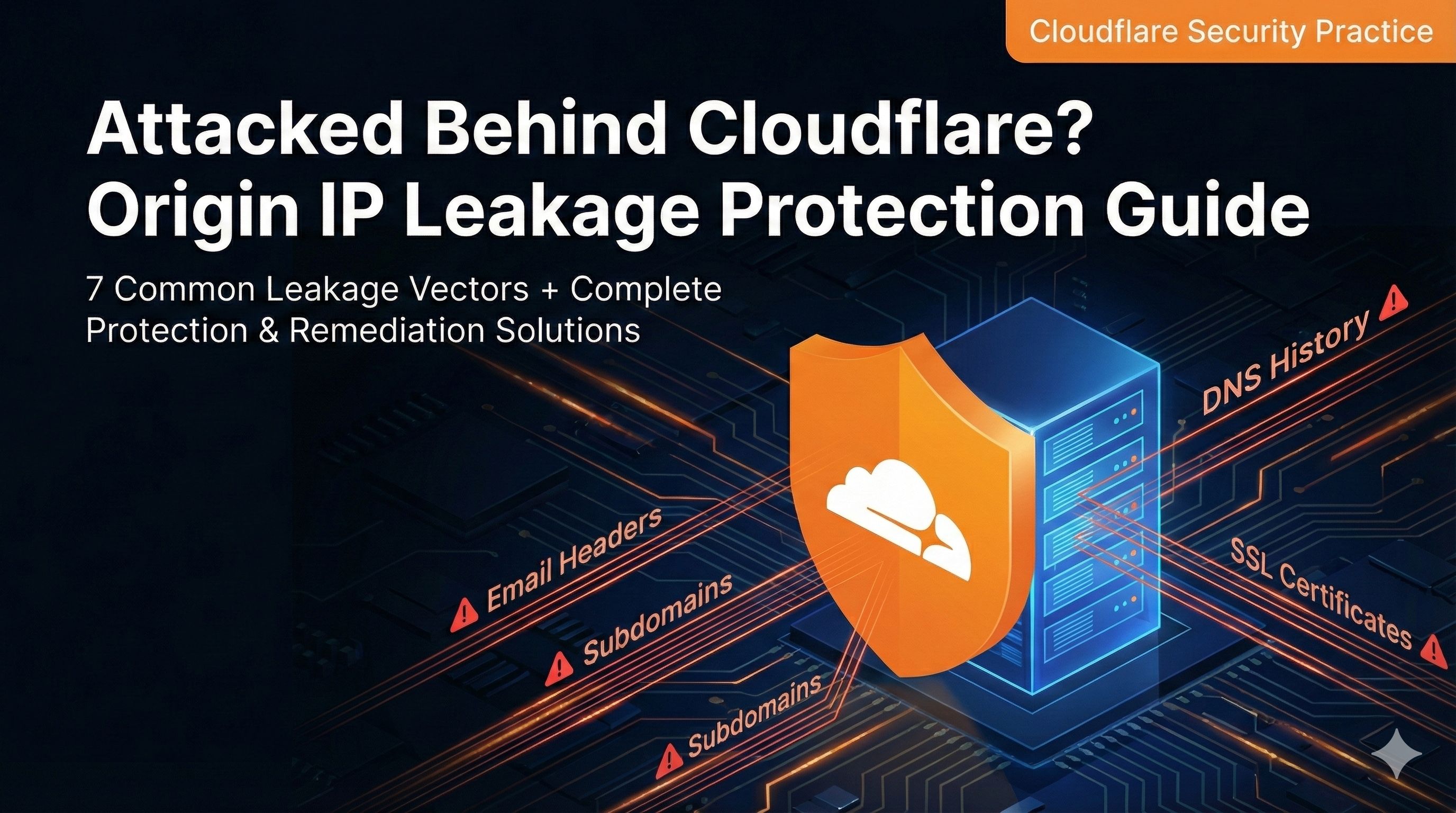
Introduction
Last month, a friend reached out to me saying his blog went completely offline due to an attack. When he checked his bandwidth bill, he was shocked — 20GB consumed in a single day, leading to service suspension due to unpaid fees. He was confused: “I’m using Cloudflare, isn’t it supposed to防 DDoS attacks?”
I checked his server logs and found that all attack traffic bypassed Cloudflare entirely, hitting the origin server directly. In other words, attackers circumvented the CDN and struck the real server. This is a classic source IP leak problem.
This situation is surprisingly common. Many people think setting up Cloudflare is a one-and-done solution, but their origin IP has long been exposed through various channels — DNS history records, email headers, subdomain scans… You might not even know your IP is already logged somewhere, just waiting for someone to exploit it.
In this article, I’ll explain all the common ways source IPs leak, show you how to detect if your site has this issue, and provide a complete protection plan. To be honest, these are lessons I learned the hard way from my own mistakes.
Why Source IPs Leak
What is Source IP Leakage and Its Consequences
Let me explain what source IP leakage means. When you use a CDN service like Cloudflare, users actually access Cloudflare’s nodes, which then forward requests to your real server (origin). This way, attackers only see Cloudflare’s IP addresses, not your actual server IP.
But if attackers obtain your origin IP through某些 channels, the CDN becomes useless. They can attack your real server directly, bypassing all of Cloudflare’s protections.
The consequences are serious:
- Server Downtime: DDoS attacks hit the origin directly; the server can’t handle it and crashes
- Bandwidth Cost Explosion: Many cloud servers charge by bandwidth; getting hit with traffic can drain your wallet
- Data Breach Risk: If there are security vulnerabilities, attackers bypassing the CDN’s WAF firewall pose an even greater threat
According to Cloudflare’s Q4 2024 report, they observed a record-breaking 5.6 Tbps DDoS attack. While regular websites unlikely face such massive attacks, even a few gigabits can overwhelm a small server.
[Image: CDN Architecture Diagram] Prompt: server behind CDN shield, user traffic flow through cloudflare nodes, simplified diagram, tech blue color scheme, professional illustration
7 Common Ways Source IPs Leak
So how exactly do source IPs leak? I’ve summarized 7 most common pathways, ranked from high to low risk.
Pathway 1: DNS Historical Records (Risk Level: High)
This is the most common and easily overlooked leak pathway.
The problem? Many people first point their domain to the real IP and run it for a while before thinking about Cloudflare. But your DNS records have already been crawled and permanently stored by third-party services like SecurityTrails and DNSdumpster.
I made this mistake myself. When my site launched, I directly used the real IP for DNS, ran it for six months, then set up Cloudflare. Using SecurityTrails, I found DNS records from months ago sitting there clear as day.
Pathway 2: Email Server Headers (Risk Level: High)
This one’s particularly sneaky — most people don’t even think about it.
Websites send emails, right? Registration confirmations, password resets, RSS notifications… These email headers contain the sending server’s IP address. If you’re using a self-hosted mail server or your site sends emails directly from the server, your origin IP is exposed.
How do attackers exploit this? Simple. Register an account to trigger a confirmation email, view the raw email headers, search for the Received field, and there’s your sending server’s real IP.
To be honest, I was quite surprised when I first discovered this issue — never imagined emails could leak IPs.
Pathway 3: Subdomain Scanning (Risk Level: Medium-High)
This problem is also quite widespread.
You might have configured Cloudflare for your main domain example.com, but what about subdomains? Like mail.example.com (mail service), admin.example.com (admin panel), dev.example.com (development environment) — these subdomains might point directly to the origin IP without going through the CDN.
Attackers run subdomain scanning tools like sublist3r or OneForAll, enumerate all your subdomains, then ping them. If even one subdomain returns the real IP, your origin location is exposed.
And even if the main domain and subdomains aren’t on the same server, as long as they’re in the same C-block (like 192.168.1.x), attackers can roughly locate your IP range.
Pathway 4: Source Code Leakage (Risk Level: Medium)
Test pages and debug information left during development can also leak IPs.
Common scenarios:
phpinfo()pages not deleted, displaying server IP and various configuration details.gitdirectory not blocked from external access, config files might contain IP addresses- Error logs running in debug mode, error messages include server paths and IPs
- Website source code with hardcoded API endpoint addresses using IPs instead of domains
I’ve seen people leave test info.php files on servers, get indexed by search engines, and all server information becomes visible. These rookie mistakes happen more often than you’d think.
Pathway 5: SSL Certificate Queries (Risk Level: Medium)
SSL certificates can also become a leak source.
There’s something called Certificate Transparency logs that record all issued SSL certificates. You can query a domain’s certificate history through tools like crt.sh and Censys, finding which IP addresses the certificate was bound to.
If you bound your SSL certificate directly to the origin server IP before configuring Cloudflare, that record gets saved. While not every case allows IP discovery through certificates, it’s definitely a viable pathway.
Pathway 6: Foreign DNS Resolution Differences (Risk Level: Medium-Low)
Some CDN services only have domestic nodes, no foreign presence.
In this scenario, querying your domain from a foreign DNS server might directly return the origin IP instead of a CDN node IP. While Cloudflare is a global CDN and this isn’t a big issue, if you’re using a domestic small-scale CDN, watch out.
Detection is simple: use Google’s DNS (8.8.8.8) or Cloudflare’s DNS (1.1.1.1) to query the domain and see if the returned IP is a CDN node.
Pathway 7: C-Block Scanning and Co-hosted Websites (Risk Level: Low)
If you run multiple websites on one server and one lacks protection, it might expose the others.
Attackers can use Bing or Google’s ip:xxx.xxx.xxx.xxx syntax to reverse-check which websites are hosted on an IP. Or scan the entire C-block to see if there are other websites nearby.
This risk is relatively low, but if you run many websites on the same server, it’s worth noting.
[Image: IP Leak Pathways Infographic] Prompt: 7 ways of IP leak infographic, DNS history, email headers, subdomain scan, source code leak, SSL certificate, colorful icons, flat design
How to Detect Source IP Leakage
With all these leak pathways covered, how do you check if your site is compromised? I’ve compiled a self-check list — following it should reveal any issues.
Detection Tools Summary Table
| Detection Method | Recommended Tools | What It Checks | Difficulty |
|---|---|---|---|
| DNS History Query | SecurityTrails, DNSdumpster | Historical DNS records | ⭐ Easy |
| Email Header Check | Email client raw message feature | Sending server IP | ⭐⭐ Medium |
| Subdomain Scan | Sublist3r, OneForAll | All subdomain resolutions | ⭐⭐ Medium |
| Global Ping Test | ping.pe, 17ce.com | IP consistency across regions | ⭐ Easy |
| SSL Certificate Query | crt.sh, Censys | Certificate historical IP bindings | ⭐⭐ Medium |
| Cyberspace Search | Shodan, Fofa | Server exposed ports | ⭐⭐⭐ Advanced |
| Server Logs | tail command to view logs | Direct IP access records | ⭐⭐ Medium |
Detailed Detection Steps
Check 1: DNS Historical Records Query
Open these websites and enter your domain:
- SecurityTrails (securitytrails.com) - View domain’s historical DNS resolution records
- DNSdumpster (dnsdumpster.com) - DNS enumeration tool, shows subdomains and history
- Netcraft (sitereport.netcraft.com) - Also records website historical IPs
If you find real IP records from before you configured Cloudflare, it’s basically confirmed as leaked.
Check 2: Email Header Testing
This method is particularly useful:
- If your website has registration functionality, register a test account to trigger a confirmation email
- Or use the password reset feature to send yourself a reset email
- After receiving the email, view “Original Message” or “Show Original” (different email clients use different terms)
- Search for
ReceivedorX-Originating-IPfields - Check if the IP address is your origin IP
If emails are sent through third-party services (SendGrid, Amazon SES), it displays the third-party’s IP — that’s fine.
Check 3: Subdomain Scanning
Manually check all subdomain DNS resolutions for any pointing directly to the origin IP:
# Query subdomains using dig command
dig mail.yourdomain.com
dig admin.yourdomain.com
dig api.yourdomain.com
Or use online tools for automatic scanning:
- Sublist3r - Python tool that can discover many subdomains
- OneForAll - Subdomain collection tool developed by Chinese security researchers
Ping each discovered subdomain individually to see if the returned IP is Cloudflare’s or yours.
Check 4: Global Multi-Location Ping Test
Ping your domain from different countries and regions to see if the returned IPs are consistent:
- Use ping.pe website to ping from multiple global nodes simultaneously
- Or use 17ce.com (Chinese multi-location ping testing tool)
If domestic and foreign IPs differ, there might be an issue. Normally, Cloudflare as a global CDN should return the nearest CF node IP for pings from anywhere.
Check 5: SSL Certificate Association Query
Search your domain on crt.sh to view certificate history:
https://crt.sh/?q=yourdomain.comCheck if the certificate was ever bound to your origin IP. If so, the IP is in a semi-public state.
Check 6: Cyberspace Search Engines
This method is advanced but effective. Use tools like Shodan or Censys to directly search your domain or website characteristics:
- Shodan (shodan.io) - Internet device search engine
- Censys (censys.io) - Cyberspace scanning tool
- Fofa (fofa.so) - Chinese cyberspace mapping tool
These tools scan servers globally; if your origin has externally exposed services (like port 80 open), it might be indexed, thereby exposing the IP.
Check 7: Review Server Logs
The most direct method — check access logs on your server:
# Nginx log location is usually
tail -f /var/log/nginx/access.log

# Apache logs
tail -f /var/log/apache2/access.log
If you find direct origin IP access records from sources not in Cloudflare’s IP ranges, it means someone already knows your origin IP and is attempting direct connections.
Cloudflare’s IP ranges can be found in official documentation. Normally, all access requests should come from these IP ranges.
Complete Protection Plan
Pre-Configuration Preparation
If you haven’t set up Cloudflare yet, or discovered your origin IP leaked and plan to reconfigure, doing these prep steps can save a lot of trouble.
Prep 1: Change Server IP or Use a Brand New Server
This is the most thorough approach. If your origin IP leaked, the best solution is getting a new IP and starting fresh.
For cloud servers, you have several options:
- Purchase a new server entirely: Migrate data over, destroy the old server
- Change public IP: Some cloud providers (like Alibaba Cloud, Tencent Cloud) allow changing elastic public IPs, usually free or for a small fee
- Switch to a new domain: If the domain and IP association is too tight, even consider changing domains (this cost is high, not recommended unless absolutely necessary)
My suggestion: if your site is still in early stages, getting a new server is easiest. If data isn’t much, migration takes just a few minutes.
Prep 2: Clean Up All Potential IP Leak Traces
While you can’t delete DNS historical records (already permanently stored by third-party services), at least clean up what you can control:
- Delete test pages on the server (
phpinfo.php,info.php, etc.) - Turn off website debug mode and error log output
- Block external access to
.gitdirectory (add deny rules in nginx config) - Check website source code to ensure no hardcoded IP addresses
Prep 3: Plan Domain Resolution Strategy
Think ahead about which domains go through Cloudflare and which don’t:
- Main domain and www: Must go through Cloudflare
- All publicly accessible subdomains: Also go through Cloudflare (like blog, api, img)
- Mail servers: If self-hosted, recommend switching to third-party email services
- Internal services: Things like admin panels and databases shouldn’t have public DNS configured; use internal IPs for access
Cloudflare Configuration Best Practices
Alright, prep work done. Now let’s talk about how to correctly configure Cloudflare to hide your origin IP thoroughly.
Practice 1: Full-Site CDN, All Subdomains Through Cloudflare
This is the most important point. In Cloudflare’s DNS settings, you’ll see a cloud icon next to each record:
- Orange cloud: Traffic goes through Cloudflare proxy, hides origin IP
- Gray cloud: Traffic doesn’t go through proxy, resolves directly to origin IP
Remember: All external domains must be set to orange cloud. I’ve seen too many people only set the main domain to orange while leaving subdomains gray — completely pointless.
The only acceptable use of gray cloud is for records Cloudflare doesn’t support proxying, like MX mail records and TXT verification records.
[Image: Cloudflare DNS Settings Interface] Prompt: cloudflare DNS settings screenshot, orange cloud vs gray cloud comparison, highlight the proxy status toggle, clean interface, 16:9
Practice 2: Use Third-Party Email Services, Don’t Self-Host
As mentioned earlier, email headers leak sending server IPs. The simplest solution is not using your own server to send emails — switch to third-party services:
- SendGrid: Free tier allows 100 emails/day, enough for small sites
- Amazon SES: Pay-as-you-go pricing, cheap, first 62,000 emails/month free (needs AWS account)
- Mailgun: Also has free tier, friendly API
These services all provide API and SMTP interfaces, not hard to switch over, and email deliverability is much better than self-hosted servers.
Practice 3: Configure Firewall Whitelist, Only Allow Cloudflare IPs
This step is a core protection measure. Even if someone knows your origin IP, if the firewall only allows Cloudflare IP ranges to access, attack traffic can’t get in.
Cloudflare officially provides IP range lists:
https://www.cloudflare.com/ips/After downloading, configure your server firewall. Using iptables as an example:
# ⚠️ Important: Ensure SSH port isn't affected before configuring
# Recommend testing in a test environment first to avoid locking yourself out

# Clear existing rules
iptables -F

# Allow local loopback
iptables -A INPUT -i lo -j ACCEPT

# Allow established connections
iptables -A INPUT -m state --state ESTABLISHED,RELATED -j ACCEPT

# Allow SSH (change to your SSH port)
iptables -A INPUT -p tcp --dport 22 -j ACCEPT

# Only allow Cloudflare IP ranges to access ports 80 and 443
# Listing a few IPv4 ranges here, download the complete list from official site
iptables -A INPUT -p tcp -m multiport --dports 80,443 -s 173.245.48.0/20 -j ACCEPT
iptables -A INPUT -p tcp -m multiport --dports 80,443 -s 103.21.244.0/22 -j ACCEPT
iptables -A INPUT -p tcp -m multiport --dports 80,443 -s 103.22.200.0/22 -j ACCEPT
# ... Add all CF IP ranges ...

# Reject all other 80/443 access
iptables -A INPUT -p tcp -m multiport --dports 80,443 -j DROP

# Save rules
iptables-save > /etc/iptables/rules.v4
Configuration Notes:
- Test in a test environment first before proceeding
- Make sure to keep SSH port (22) access permissions
- Test with another device (like mobile) after configuration
- Cloud servers recommended to use console security group features — safer and more convenient
If you’re using a cloud server, most have security group features. Configuring directly in the console is more convenient and you won’t accidentally lock yourself out.
After configuration, try accessing the origin IP directly using mobile data — it should be unreachable.
[Image: Firewall Configuration Diagram] Prompt: firewall protection layers diagram, cloudflare IP whitelist, block non-cloudflare traffic, security shield icon, professional tech illustration
Practice 4: Disable Server Ping Response
Prevent attackers from locating your server through IP range scanning:
# Disable ping
echo 1 > /proc/sys/net/ipv4/icmp_echo_ignore_all

# Make it permanent, edit /etc/sysctl.conf
net.ipv4.icmp_echo_ignore_all = 1

# Then execute
sysctl -p
This way when attackers scan IP ranges, your server won’t respond, appearing like an invalid IP.
Advanced Protection Measures
If your website is important or has been attacked before, consider these more advanced protection methods.
Measure 1: Use Cloudflare Tunnel (formerly Argo Tunnel)
This is a feature Cloudflare provides that lets you completely avoid exposing your origin IP.
The principle: run a cloudflared program on your server that proactively connects to Cloudflare’s network, forming a secure tunnel. This way:
- Your server doesn’t need to open ports 80/443
- The external network can’t access the origin IP at all
- All traffic is forwarded from Cloudflare through the tunnel
Configuration steps (simplified):
# Install cloudflared
wget https://github.com/cloudflare/cloudflared/releases/latest/download/cloudflared-linux-amd64.deb
dpkg -i cloudflared-linux-amd64.deb

# Login to Cloudflare
cloudflared tunnel login

# Create tunnel
cloudflared tunnel create mytunnel

# Configure routing
cloudflared tunnel route dns mytunnel yourdomain.com

# Run tunnel
cloudflared tunnel run mytunnel
This solution is nearly perfect for IP hiding. The downside is slightly more complex configuration, and some advanced features require Cloudflare Tunnel’s paid version.
Measure 2: Regularly Change Origin IP
For high-risk websites, regularly rotating IPs is a good habit.
For example, changing servers or IPs every 3-6 months means even if previous IPs leaked, attackers hitting them strike empty air. Of course this cost is high — depends on how important your site is.
Measure 3: Monitor Abnormal Traffic
Configure monitoring on your server; if non-Cloudflare IP access is detected, alert immediately:
# Simple monitoring script example
tail -f /var/log/nginx/access.log | grep -v -E "(173\.245\.|103\.21\.|103\.22\.)" | while read line
do
    echo "Alert: Non-CF IP access! $line"
    # Can pair with email or SMS alerts
done
This way if someone attempts direct origin IP connection, you’ll know right away.
Measure 4: Don’t Hardcode IP Addresses in Website Source Code
This is basic practice, but worth mentioning.
All API calls and resource loading in website code should use domains, not IPs. For example:
// Wrong example
fetch('http://123.456.78.90/api/data')

// Correct example
fetch('https://api.yourdomain.com/data')
This way even if someone views your frontend code, they can’t find the origin IP.
What to Do If Already Leaked
If you discover your origin IP leaked, don’t panic too much. While you can’t make already-leaked records disappear, you can take measures to reduce risk.
Remediation Step 1: Immediately Change Server IP
This is the most effective approach. As covered in prep earlier, reapply for a server or change public IP, then migrate data.
Cost estimate:
- Cloud server IP change: Most providers free or charge small fee (usually 10-20 yuan)
- Purchase new server: Depends on specs, typically lowest config 1-core 2GB about 30-50 yuan/month
- Data migration time: Small sites usually take half an hour
After changing IPs, don’t destroy the old server immediately. Keep it for a few days to observe and ensure the new server runs normally.
Remediation Step 2: Configure Firewall Whitelist
Even if IP leaked, with a properly configured firewall, attackers can’t get in.
Reference the iptables configuration or cloud server security group configuration mentioned earlier — only allow Cloudflare IP ranges to access ports 80/443. This way attack traffic all gets blocked by the firewall.
Note: Be very careful during configuration. Recommendations:
- Test in a test environment first
- Keep SSH port (22) access permissions; don’t lock yourself out
- Test with another device after configuration
I locked myself out due to misconfiguration once, then had to log in through the cloud provider console via VNC to fix it — quite troublesome.
Remediation Step 3: Use Cloudflare Rate Limiting
Cloudflare provides Rate Limiting functionality to restrict access frequency per IP.
The free version has limitations, but the Pro version ($20/month) allows more detailed rule configuration, like:
- Single IP maximum 10 requests per 10 seconds
- Automatically blacklist or Challenge (CAPTCHA) when threshold exceeded
- Protection for specific paths
This is quite effective against small-scale attacks.
Remediation Step 4: Consider Using High-Protection IP Services
If your website frequently gets attacked or your business is important, consider purchasing high-protection IP services.
Domestic cloud providers (Alibaba Cloud, Tencent Cloud, Baidu Cloud) all have DDoS protection products:
- Bandwidth-based billing: Fixed fee, provides certain bandwidth protection (like 20G protection)
- Attack volume-based billing: Low cost normally, charges when attacked
- Cost: Depends on protection level, from hundreds to tens of thousands yuan per month
To be honest, for regular personal sites or small businesses, high-protection IP costs might be steep. But if you’re an e-commerce site or game server where stability is crucial, it’s worth the investment.
Remediation Step 5: Monitor and Respond Promptly
Configure monitoring alerts; once abnormal traffic or direct origin IP access is detected, handle immediately:
- Configure Cloudflare’s notification features to email when traffic is abnormal
- Install monitoring tools on your server (like zabbix, prometheus)
- If attack detected, can temporarily modify DNS to route traffic to backup server
Response speed is important. I’ve seen people only discover they’re under attack after several hours — by then bandwidth costs had already racked up.
Conclusion
After all that, let’s summarize the key points:
Source IP leakage is a systemic problem — it’s not a one-and-done deal just setting up Cloudflare. From DNS historical records to email headers, from subdomain scans to SSL certificates, there are really many leak pathways.
Most Critical Protection Measures:
- Full-Site CDN - All external domains go through Cloudflare, orange clouds enabled
- Firewall Whitelist - Only allow Cloudflare IP ranges access — this is the last line of defense
- Outsource Email Services - Use SendGrid, SES and other third-party services, don’t self-host email
- Regular Self-Checks - Use the tools mentioned in this article periodically to prevent problems
If you haven’t configured Cloudflare yet, perfect — start doing it the right way now, one-shot solution saves future headaches. If already configured but unsure whether leaked, spend ten minutes on a self-check for peace of mind.
If you discover IP already leaked, don’t panic. Get a new IP, configure the firewall properly, implement proper protections — problem’s not that big.
One final emphasis: Protecting origin IP is an ongoing process, not a one-time task. When adding new subdomains remember to use CDN, when changing configs don’t accidentally expose IPs, periodically check if protection measures are still effective.
You can start by checking your own site now — use SecurityTrails to查 DNS history, see if you’re compromised. If there are issues, follow this article’s steps to reinforce systematically. It’s a bit of hassle, but beats getting hit until your server crashes, right?
Published on: Dec 1, 2025 · Modified on: Dec 4, 2025

Related Posts

Complete Guide to Deploying Astro on Cloudflare: SSR Configuration + 3x Speed Boost for China

Building an Astro Blog from Scratch: Complete Guide from Homepage to Deployment in 1 Hour