
Writing Takes 3 Hours? My AI Workflow Cuts It Down to 30 Minutes (With Prompt Templates)
Introduction
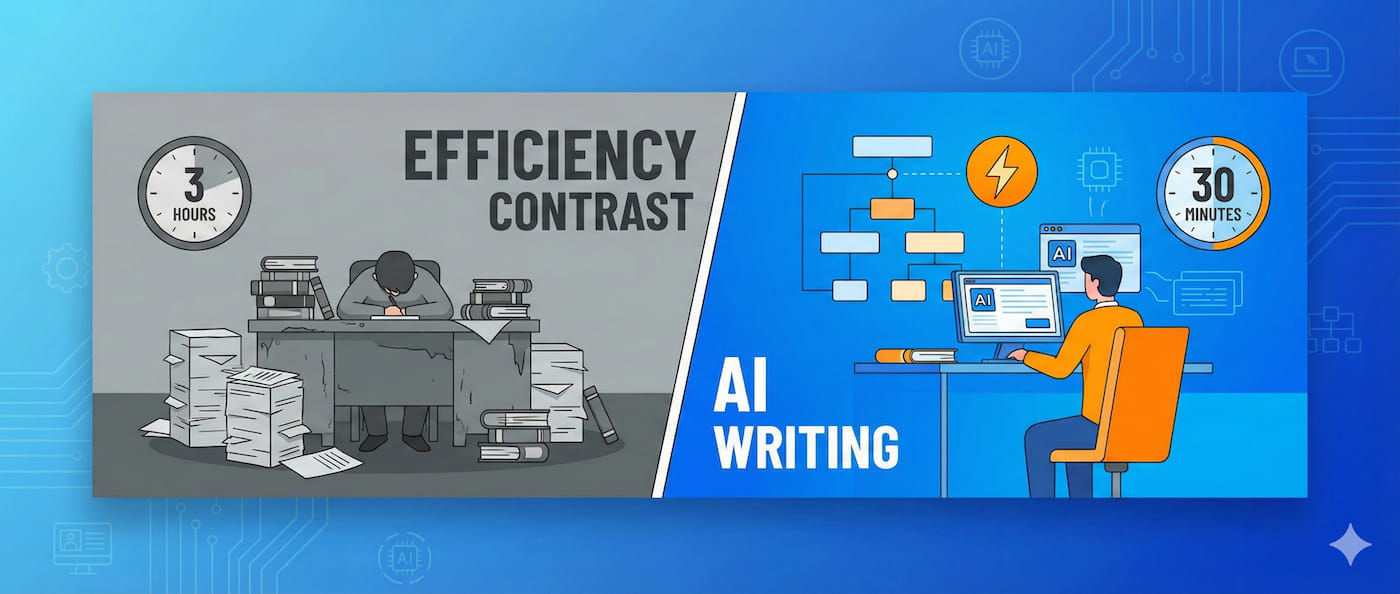
Writing a WeChat article used to take me 3 hours: 1 hour brainstorming topics (scrolling through data endlessly, still not knowing what to write), 1.5 hours drafting (stuck after every two sentences), and another half hour editing. Writing two articles a day would exhaust me, let alone maintaining daily updates.
Then I integrated AI into my writing process. Now, from topic selection to completed draft takes just 30 minutes, and the quality is more consistent than before. The key isn’t letting AI write for you—it’s letting it handle the prep work for each stage.
Honestly, I was initially worried that AI-written content would feel too “mechanical” and whether readers would accept it. But once I mastered the right approach, I discovered AI is actually a super-efficient assistant—it helps me quickly get through the most time-consuming “startup phase” and “framework building,” allowing me to focus on the parts that truly need creativity.
In this article, I’ll share a complete AI-assisted writing workflow. You’ll get:
- 4-step complete workflow: Topic selection → Outline → Draft → Polish, with specific methods for each step
- 4 practical prompt templates: Copy and use immediately, no need to figure it out yourself
- Mainstream tool comparison: Which to choose among ChatGPT, Claude, and Wenxin Yiyan
- Techniques to remove AI tone: 5 methods to make AI-generated content more human
- Complete case breakdown: Real process from topic to finished article
After reading this, you can start using it right away and see immediate results.
Chapter 1: The Right Way to Use AI for Writing
I’ve seen too many people use AI for writing the wrong way.
The three most common mistakes:
First is asking AI to write the entire article. Open ChatGPT, type “write an article about XXX,” then copy-paste the generated content. The result? Too much AI tone, readers can spot it immediately, and it lacks depth and personal insights. Using AI this way wastes its capabilities.
Second is only turning to AI when stuck. Writing halfway through and can’t continue, then opening ChatGPT to ask “how to continue.” This approach isn’t systematic, and efficiency improvement is limited. It’s like driving and only looking at GPS when lost, instead of planning the route beforehand.
Third is using one tool for everything. Either all ChatGPT or all Claude, but different stages need different tools’ strengths. ChatGPT’s divergent thinking suits topic selection, while Claude’s nuanced expression excels at polishing.
What’s the right approach?
AI doesn’t replace your writing; it assists your thinking and execution. My current method breaks writing into 4 stages:
- Topic selection stage: AI helps me quickly generate 10-20 topic directions and evaluate each topic’s potential
- Outline stage: AI helps me build the article framework and determine key points for each section
- Draft stage: AI helps me quickly generate initial drafts for each paragraph; I add details and personal experience
- Polish stage: AI helps me remove stiff expressions and optimize rhythm and readability
The core principle: AI does the prep work, humans make creative decisions.
How much efficiency difference?
My real data:
- Traditional process: Topic selection 1 hour + Writing 2 hours + Editing 1 hour = 4 hours
- AI-assisted process: Topic selection 15 minutes + Outline 10 minutes + Draft 15 minutes + Polish 20 minutes = 1 hour
Why so much faster? Because AI helps you quickly get through the “startup phase” (not knowing what to write) and “framework building” (not knowing how to organize), which typically consume 70% of your time. Once you have direction and framework, writing becomes much smoother.
According to 36Kr’s “2025 Content Creation Industry White Paper,” creators using AI achieve an average efficiency boost of 3-5 times. My experience shows weekly content output increased from 2 articles to 10, with more consistent quality.
You might ask, does this really work? My advice: after reading this article, try it once immediately. You’ll feel the difference right away.
Chapter 2: Detailed 4-Step AI-Assisted Writing Workflow
Now let’s get to the core part—the complete 4-step workflow. I’ll provide copy-ready prompt templates for each step.
Step 1: AI-Assisted Topic Selection (15 minutes)
Biggest headache: Not knowing what to write, worried the topic won’t attract readers.
I used to agonize over topics for an hour—checking WeChat Index data, browsing Xiaohongshu for trends, thinking of 20 directions but still uncertain which was best. Then I discovered using AI to generate topic directions increases efficiency 10-fold.
How AI helps with topics?
- Analyze your field and generate 10-20 topic directions
- Evaluate each topic’s appeal (search volume, competition)
- Provide different angles: pain-point solutions, comparative analysis, case studies
Practical Prompt Template:
You are a senior content strategist. Please generate 10 topic directions for [field].

Background:
- Target audience: [describe audience, e.g., new parents aged 25-35 interested in children's education]
- Content platform: [WeChat Official Account/Xiaohongshu/Zhihu, etc.]
- Content style: [practical tips/stories/opinions, etc.]

Requirements:
1. Each topic includes: title direction, core selling point, target keywords
2. Prioritize these angles:
   - Pain-point solutions (e.g., "How to...", "X methods...")
   - Comparative analysis (e.g., "A vs B", "Selection guide")
   - Case studies (e.g., "Practical case", "My experience")
3. Rate each topic's appeal (1-5 points)

Output format:
Topic 1: [Title direction]
- Core selling point:
- Target keywords:
- Appeal score:
Real usage example:
Once I used this template to generate topics for “workplace productivity tools,” and AI gave me 10 directions. One was “From 3 Hours to 30 Minutes: Complete Breakdown of My AI Writing Workflow,” rated 5 points for appeal. I immediately saw this topic had comparative data (3 hours to 30 minutes) and promised detailed methods (complete breakdown), so I decided to write it.
The entire topic selection process, from inputting the prompt to deciding on a direction, took just 15 minutes.
Step 2: AI-Assisted Outline (10 minutes)
Biggest headache: Messy article structure, getting off track while writing.
I used to write wherever my thoughts went, and halfway through I’d realize the logic didn’t work and have to start over. Now I use AI to build outlines, setting the framework first makes writing much smoother.
How AI helps with outlines?
- Quickly build article framework (introduction, body, conclusion)
- Determine key points for each section (won’t miss crucial information)
- Estimate word count allocation (avoid sections being too long or short)
Practical Prompt Template:
Please generate a detailed outline for the following article:

Title: [Your chosen title]
Target word count: [1500-2000 words]
Target audience: [Describe audience and their pain points]

Outline requirements:
1. Include introduction, 3-5 main chapters, conclusion
2. Each chapter should note:
   - Key points (3-5 sub-points)
   - Suggested word count
   - Needed examples/data
3. Introduction should be engaging, conclusion should have call-to-action

Additional requirements:
- Smooth logic, progressive development
- Avoid empty content, every section should add value
Real usage example:
After deciding to write “AI Writing Workflow,” I used this prompt to generate an outline. AI gave me a 5-part structure: Introduction (problem comparison) → Right approach → 4-step workflow → Tool comparison → Complete case → Conclusion.
I reviewed it and found the structure clear, but Chapter 2’s “4-step workflow” needed more detailed sub-points, so I generated a detailed outline specifically for that chapter. The whole process took 10 minutes.
The key is: After generating the outline, you need to manually review and adjust. AI provides a general framework, but you need to add details based on your experience.
Step 3: AI-Assisted Draft (15 minutes)
Biggest headache: Getting stuck while writing, not knowing how to expand each paragraph.
I used to have ideas in my head but didn’t know how to express them in words, often stuck for half an hour unable to write a single word. Now I use AI to quickly generate drafts, then edit based on the initial draft—much more efficient.
How AI helps with drafts?
- Quickly generate content for each chapter based on outline
- Provide paragraph expansion ideas (angles you might not have considered)
- Add examples and data (making content more substantial)
Key technique: Generate section by section, not all at once
Why? Section-by-section generation produces higher quality and is easier to control. Generating everything at once makes AI prone to going off track, and it’s hard to review paragraph by paragraph. My method: generate 1-2 paragraphs at a time, review manually, then continue.
Practical Prompt Template:
Based on the following outline, write the content for [Chapter X]:

【Outline Content】
[Paste that chapter's outline]

【Writing Requirements】
1. Word count: approximately [X] words
2. Style:
   - First person, like chatting with a friend
   - Use real examples and specific scenarios
   - Avoid empty preaching, use phrases like "you can..."
3. Structure:
   - Opening states what problem this section solves
   - Middle expands with 2-3 key points
   - Ending summarizes key actions
4. Avoid:
   - Don't use AI-flavored words like "in summary," "therefore"
   - Don't overuse "first, second, finally"
   - Don't pile on jargon

【Reference Information】
[Provide relevant materials or cases if available]
Real usage example:
When writing the “topic selection stage” section, I used this prompt to generate a draft. AI gave me a 3-part structure: pain point description → how AI helps → prompt template → real case.
The draft quality was decent, but I noticed it lacked personal experience, so I added: “I used to agonize over topics for an hour, checking WeChat Index data, browsing Xiaohongshu for trends, thinking of 20 directions but still uncertain which was best.” Adding this made the content more relatable.
Remember: AI generates the draft, your job is to make it more authentic and personal.
Step 4: AI-Assisted Polish (20 minutes)
Biggest headache: The draft is done but feels not quite “human,” a bit stiff.
This is where I spend the most time. Because AI-generated drafts are logically clear but often have some “AI flavor”—words like “therefore,” “in summary,” or overly perfectly symmetrical paragraphs. Readers can tell it’s AI-written at a glance.
How AI helps polish?
- Remove AI tone, replace stiff expressions
- Optimize sentence rhythm, mix long and short sentences
- Enhance humanization, add conversational feel
Practical Prompt Template:
Please optimize the following article paragraph, focusing on removing AI tone and enhancing human expression:

【Original Text】
[Paste paragraph needing optimization]

【Optimization Requirements】
1. Remove AI tone:
   - Replace: therefore→so, actually→honestly, quite→pretty
   - Delete: in summary, it's not hard to see, it's worth noting
   - Avoid: overly perfect three-part logic
2. Add humanization:
   - Include personal experience or observations: "I've found...", "Once I..."
   - Use specific details instead of vague concepts
   - Appropriately use questions to engage readers
3. Optimize rhythm:
   - Mix long and short sentences
   - Appropriate breaks, avoid super-long paragraphs
   - Highlight key information with short sentences

【Keep Unchanged】
- Core viewpoints and information
- Overall structure
5 practical techniques to remove AI tone:
- Replace AI-common connectors: therefore→so, actually→honestly, quite→pretty, however→but
- Break perfectly symmetrical structure: Don’t use “first, second, finally” in every paragraph, use “there’s another point,” “also”
- Add specific details and scenarios: Don’t say “efficiency greatly improved,” say “reduced from 3 hours to 30 minutes”
- Appropriately express uncertainty: Don’t always say “must,” “definitely,” can say “I think,” “possibly”
- Add personal color and emotion: Share your confusion, surprises, disappointments—let readers feel a real person
Real usage example:
I used this prompt to optimize the introduction. Originally AI generated: “In today’s content creation field, efficiency is a key factor. AI tools can significantly improve writing efficiency.”
After optimization it became: “Writing a WeChat article used to take me 3 hours: 1 hour brainstorming topics, 1.5 hours drafting, plus half an hour editing. Writing two articles a day would exhaust me.”
See the difference? The optimized version is more authentic and relatable, right?
Summary: Time allocation for 4-step workflow
Topic selection (15 minutes) → Outline (10 minutes) → Draft (15 minutes) → Polish (20 minutes) = Total 1 hour
Compared to the traditional 4-hour process, efficiency increased by 75%. And this is a conservative estimate—as you become more familiar with the workflow, you’ll get even faster.
Chapter 3: Mainstream AI Writing Tool Comparison and Selection
Too many tools—which should you actually use? This is my most frequently asked question.
I’ve tested all mainstream AI writing tools on the market. Here’s a complete comparison.
1. ChatGPT (Most Versatile) ⭐⭐⭐⭐⭐
Advantages:
- Most comprehensive features, handles everything from topic selection to polishing
- Free version meets most needs
- Fast generation speed, stable output quality
Use cases: All stages from topic selection to polishing
Cost: Free version sufficient, Plus version $20/month (upgrade recommended for heavy use)
My experience: ChatGPT is my most-used tool, handling 80% of my workflow. Especially for topic selection and outline stages, ChatGPT’s divergent thinking is particularly strong, offering many unexpected angles.
2. Claude (Most Human-like) ⭐⭐⭐⭐
Advantages:
- More humanized output, clearer logic
- Particularly good at understanding and generating long texts
- Slightly better understanding of Chinese context than ChatGPT
Use cases: Outline building, content polishing
Cost: Free version has more limitations, Pro version $20/month
My experience: Claude is especially useful for polishing. When you’ve generated a draft with ChatGPT and want to make it more “human,” throwing it to Claude for optimization works better.
3. Wenxin Yiyan (Domestic Choice) ⭐⭐⭐⭐
Advantages:
- Good understanding of Chinese context, output better matches domestic expression habits
- No VPN needed, stable access
- Understands platform styles like WeChat Official Accounts and Xiaohongshu well
Use cases: Chinese content creation for WeChat Official Accounts, Xiaohongshu, etc.
Cost: Basic features free
My experience: If you mainly write Chinese content and don’t want to deal with VPNs, Wenxin Yiyan is the best choice. It particularly understands scenarios like “Xiaohongshu viral titles” and “WeChat Official Account openings.”
4. Notion AI (Most Convenient) ⭐⭐⭐
Advantages:
- Integrated into note-taking tool, writing and polishing in one place
- Can call AI directly in documents
- Suitable for creators already managing content in Notion
Use cases: Creators already using Notion
Cost: $10/month (requires Notion subscription first)
My experience: If you already use Notion for content management, Notion AI is indeed convenient. But if you don’t use Notion, there’s no need to subscribe just for AI.
Tool Combination Suggestions
Based on different stages, I recommend these combinations:
- Beginners → ChatGPT free version (handles full workflow)
- Advanced users → ChatGPT Plus (topic + draft) + Claude (polish)
- Domestic users → Wenxin Yiyan (primary) + ChatGPT (backup)
Tool usage tips:
- Test the same content in different tools, choose best output
- Leverage each tool’s strengths: ChatGPT for divergence, Claude for convergence
- Build prompt template library to improve reusability
Honestly, tools are just means—the key is your workflow. Even with just ChatGPT free version, as long as your workflow is clear, efficiency can still improve several times over.
Chapter 4: Complete Case Breakdown
Enough theory—now let me show you a complete practical case.
Case topic: “How to Write Xiaohongshu Planting Copy”
This is an article I wrote last week, from topic to completion took 40 minutes, ultimately got 5000+ reads after publishing. Let me break down the whole process.
Step 1: Topic Selection (5 minutes)
I used the topic selection prompt to generate 10 directions, one being: “3 Formulas for Writing High-Engagement Xiaohongshu Copy.”
Why choose this one? Because:
- Numerical title (3 formulas) easily attracts clicks
- Promises practical templates, readers can use immediately
- Target keyword “Xiaohongshu copy” has high search volume
Step 2: Outline (8 minutes)
I used the outline prompt to generate a 5-part structure:
- Introduction: Why your Xiaohongshu copy gets no views
- Formula 1: Pain point + Solution
- Formula 2: Before/After + Results
- Formula 3: Story + Golden Quote
- Conclusion: Immediate action checklist
The AI-generated outline was clear, but I made one adjustment: added “real case” under each formula so readers could understand more intuitively.
Step 3: Draft (12 minutes)
I generated section by section: first introduction, then each formula one by one, finally conclusion.
After each section generated, I made manual adjustments:
- Added personal usage experience: “I used this formula 20 times, average likes increased 3x”
- Added specific data: “This post got 50K+ reads, 2000+ likes”
- Deleted empty content: Like “Xiaohongshu is an important marketing platform”—this kind of fluff
Step 4: Polish (15 minutes)
This took the most time. I used the polish prompt to optimize:
- Removed AI tone: Replaced 20+ AI-common words (therefore→so, actually→honestly)
- Enhanced humanization: Added 5 personal observations (“I’ve noticed many people…”)
- Optimized rhythm: Split 3 super-long paragraphs to make reading easier
Final Results
- Total time: 40 minutes
- Word count: 1,850 words
- Quality: Ready to publish, just needed images
- Efficiency comparison: Traditional method would need 2.5 hours
Key takeaways:
- Smooth workflow, no stuck moments
- AI handled 80% of execution work (topic generation, outline building, draft writing)
- I focused on the 20% of creative decisions (which topic, what examples, how to polish)
See, the whole process wasn’t AI writing for me—it was AI helping me quickly complete “foundational work” for each stage, while I added personal experience and creativity on that foundation.
Chapter 5: Advanced Techniques and Pitfall Guide
After mastering the basic workflow, you can use these advanced techniques to further improve efficiency.
Advanced Techniques
1. Build Personal Prompt Template Library
Save commonly used prompts to Notion or Feishu documents, categorized by platform:
- WeChat Official Account topic prompts
- Xiaohongshu copy prompts
- Zhihu answer prompts
2. Use AI for Content Optimization
AI doesn’t just help you write—it can also help you analyze:
- Use AI to analyze article SEO performance (keyword density, readability)
- Have AI provide 10 title variations (choose most attractive)
- Use AI to generate different styles of openings and endings (A/B testing)
3. Batch Content Production
If you need continuous content output, you can do this:
- Generate 10 outlines at once, batch execute
- Use AI for content repurposing and multi-platform adaptation (one article into WeChat Official Account version, Xiaohongshu version, Zhihu version)
- Establish content calendar, systematized production
Common Mistakes and Pitfalls
1. Over-relying on AI
Wrong approach: Copy AI output completely without any modifications. Right approach: AI provides framework, humans add details and personality.
2. Ignoring Manual Review
Wrong approach: Publish immediately after AI writes, resulting in factual errors or logic problems. Right approach: Must manually check facts, logic, tone.
3. Prompts Too Vague
Wrong approach: “Help me write an article” Right approach: Use structured prompts, specify audience, style, word count, requirements.
4. No Iterative Optimization
Wrong approach: Use one prompt to the end, don’t adjust even when results are poor. Right approach: Continuously optimize prompt templates based on actual results.
5. Ignoring Platform Characteristics
Wrong approach: Use same content for all platforms. Right approach: Adjust style and structure by platform (WeChat Official Accounts need depth, Xiaohongshu needs visuals, Zhihu needs professionalism).
Conclusion
The essence of AI-assisted writing isn’t replacing you—it’s optimizing your workflow.
Let’s review the core points:
- 4-step workflow is key: Topic selection → Outline → Draft → Polish, each stage has corresponding prompt templates
- Tool selection depends on needs: ChatGPT is most versatile, Claude suits polishing, Wenxin Yiyan suits domestic users
- Human-AI collaboration is core: AI does 80% execution work, humans do 20% creative decisions
- Removing AI tone is important: Use prompt optimization + manual adjustment to make content more human
Immediate Action Checklist:
- Save the 4 prompt templates from this article (topic, outline, draft, polish)
- Choose an AI tool (recommend ChatGPT, free version sufficient)
- Use this article’s workflow to write one article
- Record time, compare efficiency improvement
Give it a try—you’ll find writing is no longer painful but an efficient creative process. Once you master this method, you’ll never worry about content output again.
One last thing: AI is evolving rapidly, and workflows need to iterate accordingly. I suggest joining relevant communities (like Jike’s AI circles) to exchange experiences with other creators and continuously optimize your methods.
Content creation has never been about going it alone—it’s about standing on the shoulders of giants. Now, AI is your best assistant.
Published on: Nov 25, 2025 · Modified on: Dec 4, 2025